Changelog

Follow new updates and improvements to docu tools.

More Powerful Pin Filters on iPhone and iPad
Pin filters on mobile devices have been redesigned and significantly expanded. A modern interface and improved interactions make it easier to quickly find exactly the Pins you need, even in large and complex projects.

For the first time on mobile, Datasets and custom Pin Fields can also be used as filter criteria. Depending on the field type, dedicated filtering options are available – including numbers, text, dates and times, tags, and selection fields. This makes it possible to narrow down and evaluate custom project data directly while working on site.

The iPad filters have also been completely redesigned and now follow the same logic and interaction patterns as on iPhone, providing a consistent filtering experience across mobile devices.

The new filters are initially available on iOS and iPadOS, with Android support to follow.
Redesigned Web Navigation and Flexible Trial Start for Invited Users

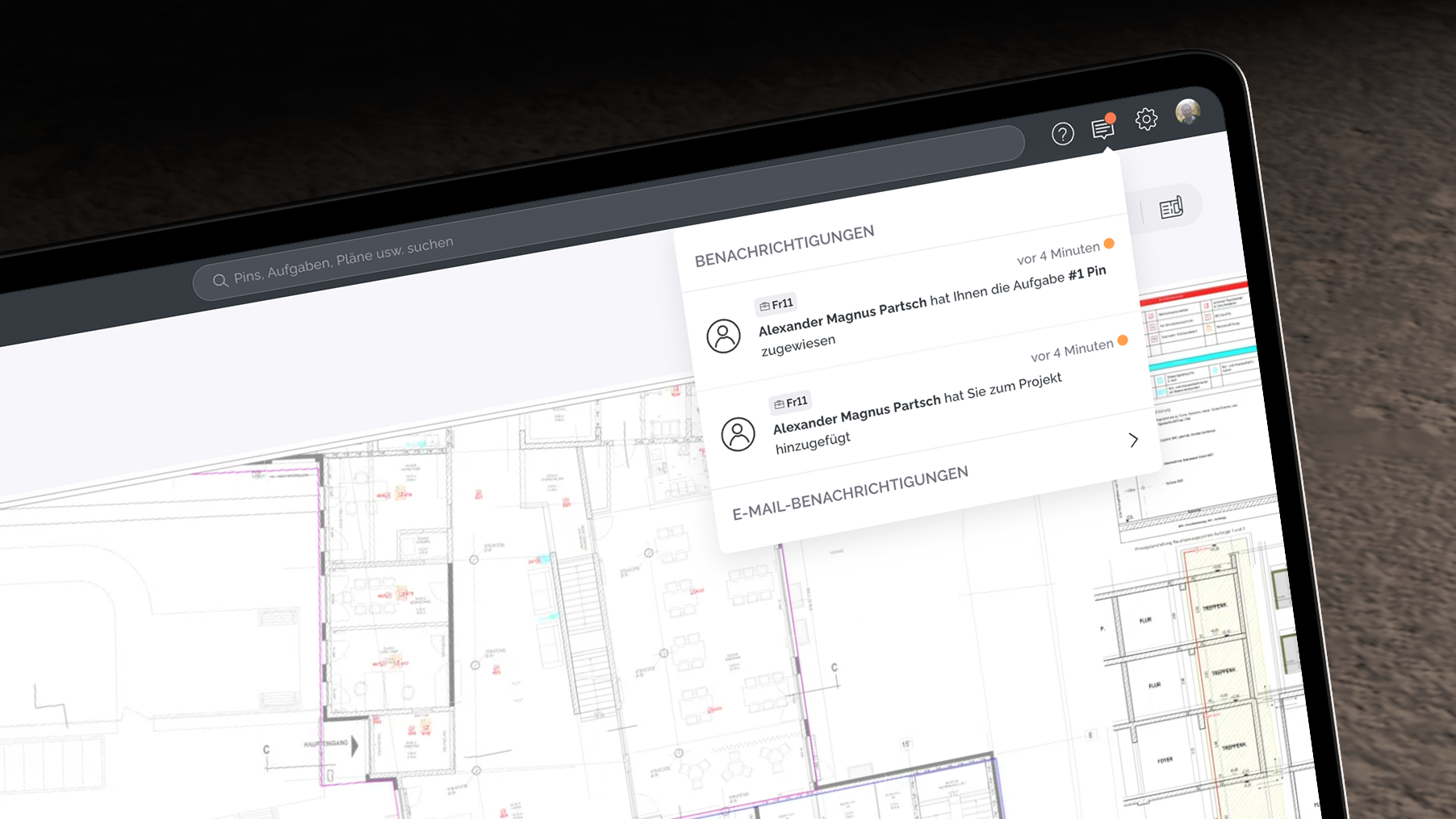
The top navigation in the web app has been redesigned to enable faster and more precise navigation across projects and plans. The project and plan quick selection is now better structured, searchable, and reflects the plan folder structure, allowing users to access any project or plan from any view with just a few clicks.

Search has been enhanced to provide a central way to quickly find Pins, tasks, and plans at project level. Additional metadata helps users better understand and identify results. At the same time, search acts as a dynamic activity feed by displaying recently updated items.

The Notification Center has also been improved with a clearer visual structure. Unread messages are easier to identify, and relevant updates are more transparent.

User menu and support access have been refined as well: license information, user settings, and version details are now easily accessible, and the Intercom chat can be opened directly via the question mark icon.

A key improvement also affects new project members: invited users can now collaborate in projects without automatically starting a trial. This allows them to begin their own trial at their preferred time, reducing pressure and enabling a more flexible onboarding experience.

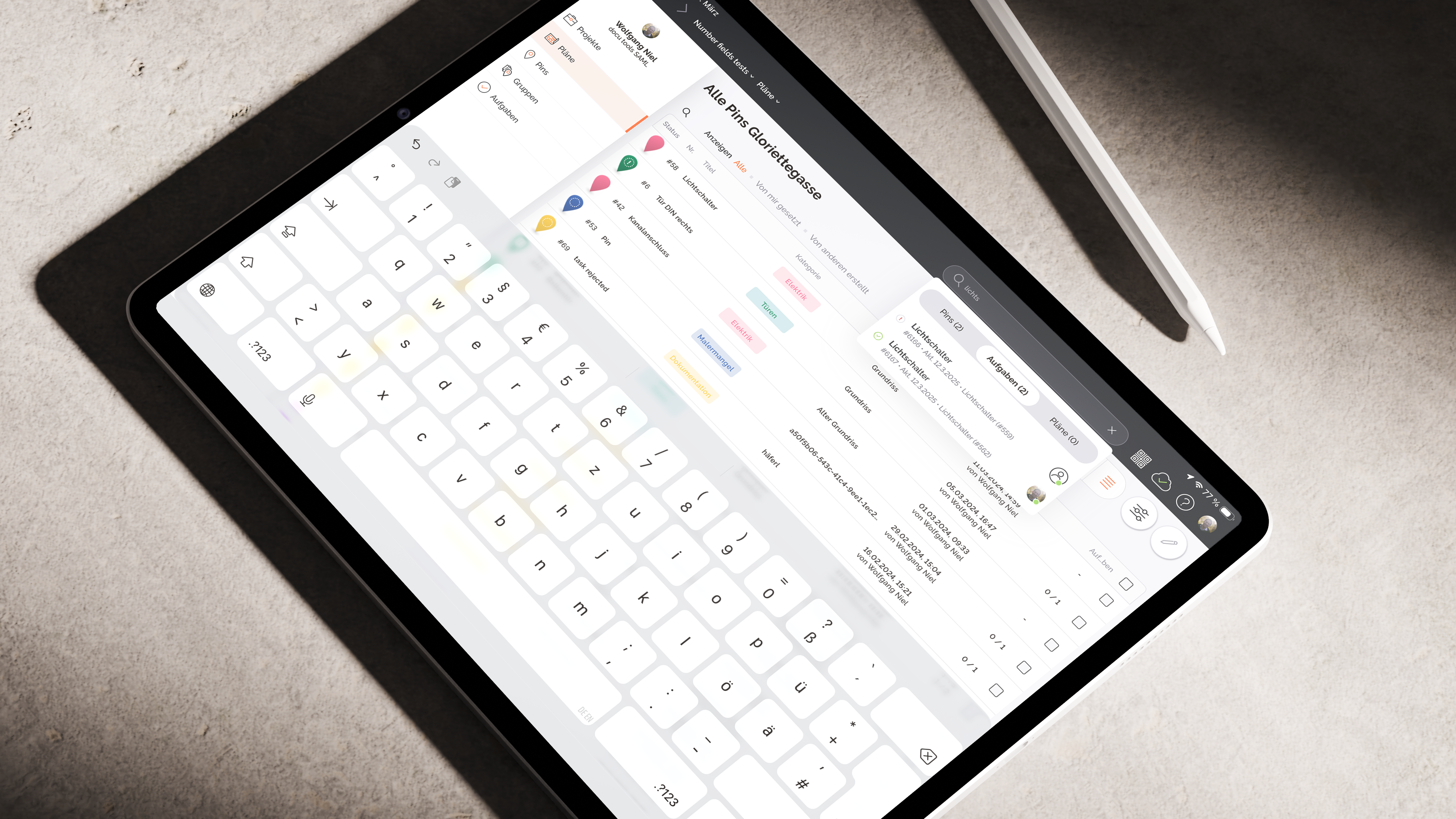
Meet the New Top Navigation on iPad

Navigation on the iPad has been fundamentally improved with the introduction of a new top navigation bar. It enables faster access to projects and plans while improving overall orientation within the app.

The project and plan quick selection has been optimized: both dropdowns are now searchable and reflect the folder structure. This allows users to quickly switch between projects and plans or access them directly from any view with minimal effort.

Search has also made its return, offering a powerful way to navigate within a project. Users can search across Pins, tasks, and plans in a single view, including result counts and relevant metadata for better context. Previously selected results are saved, enabling quick access to recently used items.

The user menu has been redesigned and now provides direct access to the user avatar, license information, and notifications about new app versions. Support is also easier to reach: the Intercom chat can now be opened directly via the question mark icon.

The new top navigation follows the current docu tools design language and ensures an accessible, intuitive, and consistent user experience.

Earlier updates